



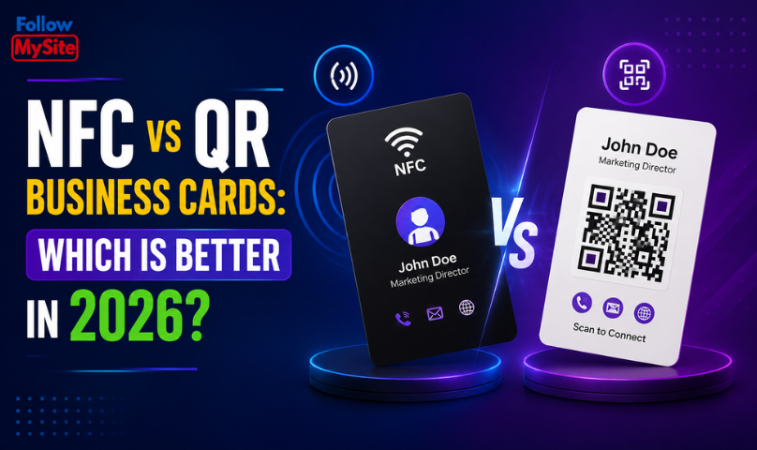
Switching from paper visiting cards? You will quickly face one decision: an NFC business card or a QR code business card. Both open your digital card in seconds, but they work very differently. Here is a clear, practical comparison for 2026 — including which phones support each, what goes wrong, and why most professionals end up using both.
The short answer
If you network face-to-face and want a quick, premium "tap-to-share" moment, an NFC card wins. If you want no hardware, sharing on screens and in print, and compatibility with every phone that has a camera, a QR code wins. Because both simply open a web link, a digital business card platform such as Follow My Site gives you one profile that works with both — so you rarely have to choose.
What is an NFC business card?
NFC (Near-Field Communication) is the same short-range radio technology used for contactless payments. An NFC business card has a small chip and antenna inside a card, sticker or keyring. The chip stores your card's web address. When someone holds their phone against it, the phone reads the address and opens your digital card in the browser — no app, no scanning, no typing.
The chip has no battery; it is powered by the phone's own field for the moment of the tap. Range is very short — typically a few centimetres — which is a feature as much as a limitation: nobody reads your card from across the room.
Most NFC business cards use NXP's NTAG21x family of chips:
| Chip | User memory | Enough for a card link? |
|---|---|---|
| NTAG213 | 144 bytes | Yes — a short URL needs far less |
| NTAG215 | 504 bytes | Yes, with room to spare |
| NTAG216 | 888 bytes | Yes; more than needed |
Because the chip only stores a link to your page, even the smallest chip is enough, and you never need to rewrite it when your details change — you edit the page instead.
What is a QR code business card?
A QR code business card uses a scannable square pattern. The other person opens their phone's camera, points it at the code, and your card opens in their browser. The same code can go on a printed card, your phone's lock screen, an email signature, a brochure, a presentation slide or a shop window.
QR codes include built-in error correction, so a code can still scan when part of it is scuffed or covered by a small logo. What matters for your business card is that the code is dynamic — it points to a page you edit — rather than static, where the details are baked into the pattern and cannot change. Our guide to creating a QR code business card covers sizes and printing.
NFC vs QR business cards: side-by-side
| Feature | NFC card | QR code card |
|---|---|---|
| How to share | Tap phone to card | Scan code with camera |
| Hardware | Needs an NFC card, sticker or tag | None — it is an image |
| Phone compatibility | Phones with NFC (most modern iPhones and many Androids) | Any phone with a camera |
| Works on a screen or online | No — physical only | Yes — print, screen, email, slides |
| Distance | Touch range, a few centimetres | From a few centimetres to several metres, depending on size |
| Low light | Works in the dark | Needs enough light for the camera |
| Speed | One tap | Open camera, aim, tap the link |
| Updating your details | Edit the page; chip stays the same | Edit the page; code stays the same |
| Wow factor in person | High | Moderate |
Which phones support each?
iPhone
iPhone XS, XR and every later model read NFC tags automatically in the background: hold the top edge of the phone near the card and a notification appears to open the link. iPhone 7, 8 and X can read tags too, but the person has to open the NFC Tag Reader from Control Center first, which few people know about. Every iPhone can scan QR codes from the Camera app.
Android
Most mid-range and flagship Android phones include NFC, usually with the reading spot in the middle of the back. Some budget models leave it out, and on others NFC has been switched off in settings. Practically every Android phone scans QR codes from the camera or the built-in Google Lens option.
Pros and cons
NFC business card
- Pros: fast, memorable, one-tap sharing — great at events, in sales meetings and at the counter. Works in poor light.
- Cons: you need a physical card or tag, the other phone must support NFC with it switched on, and thick or metal phone cases can block the tap.
QR code business card
- Pros: no hardware, works on almost every phone, and shares just as well in print and on screen.
- Cons: one extra step — open the camera and aim — and printed codes must be large enough with a clear margin to scan reliably.
Which should you choose?
| Your situation | Best choice |
|---|---|
| You meet people face-to-face every day (sales, real estate, events) | NFC card, with a QR printed on the back |
| You serve customers at a counter or reception | QR stand, plus an NFC tag on the counter |
| You mostly connect on WhatsApp, email and social media | QR code and link — no hardware needed |
| You present at meetings or webinars | QR code on your closing slide |
| Your clients use older or budget phones | QR code first |
The best answer for most people is both: a QR code for reach, an NFC tap for in-person polish, each pointing to the same up-to-date profile. An NFC card with a QR code printed on the back covers every phone in one object.
Common problems and quick fixes
- Tap does nothing on iPhone: the reading spot is the top edge, not the middle. On iPhone 7, 8 or X, open the NFC Tag Reader from Control Center.
- Tap does nothing on Android: check that NFC is switched on, and try the middle of the back.
- Works without the case, not with it: metal, very thick or magnetic-wallet cases block NFC.
- Metal NFC cards: metal interferes with the antenna, so metal cards need a specially placed chip and usually have a shorter range.
- QR will not scan: it is probably too small, too low-contrast, or something is touching the code. Add a clear margin and print larger.
More fixes are in NFC business card not working? 12 fixes.
How to get both with Follow My Site
With Follow My Site you build one digital business card and get a shareable link and a ready-to-print QR code automatically, plus one-tap call and WhatsApp buttons, your services, products and analytics. For NFC, you can program any NFC card you already own with your card link — see how to program an NFC business card — or add a Follow My Site NFC card for ₹2,000. Update your details once and every QR code and NFC card you have handed out shows the new version.
Plans start at ₹200 a month with coupon FM50, or ₹1,450 once for Lifetime, with a 7-day money-back guarantee. Create your digital business card.
Prices shown exclude 18% GST, which is added at checkout.
Frequently asked questions
Is NFC or QR more secure?
Both are equally safe for a business card: each simply opens a web link to your public card. No payment information is stored on an NFC business card, and you can lock the chip after writing it so nobody can overwrite the link.
Do NFC cards need an app?
Not to read them. Modern phones read NFC tags and QR codes natively. You only need an app such as NFC Tools once, to write your link onto a blank card.
Can I use one digital card for both NFC and QR?
Yes. A good digital business card gives you a single profile that works with a QR code, an NFC tap and a plain link.
Do all iPhones support NFC business cards?
iPhone XS and later read NFC tags automatically. iPhone 7, 8 and X need the NFC Tag Reader opened from Control Center. Older iPhones cannot read tags, but all of them can scan QR codes.
What happens if I lose my NFC card?
Very little. The card only holds a link to your public profile, so whoever finds it sees the same page you share with everyone. Nothing private is stored on the chip.
How long does an NFC card last?
The chips commonly used in business cards are rated for many years of data retention and around 100,000 rewrites, so the chip usually outlasts the card it is printed on.
Which is cheaper?
A QR code costs nothing beyond your digital card plan. NFC adds the cost of a physical card — either one you already own or a Follow My Site NFC card for ₹2,000.