



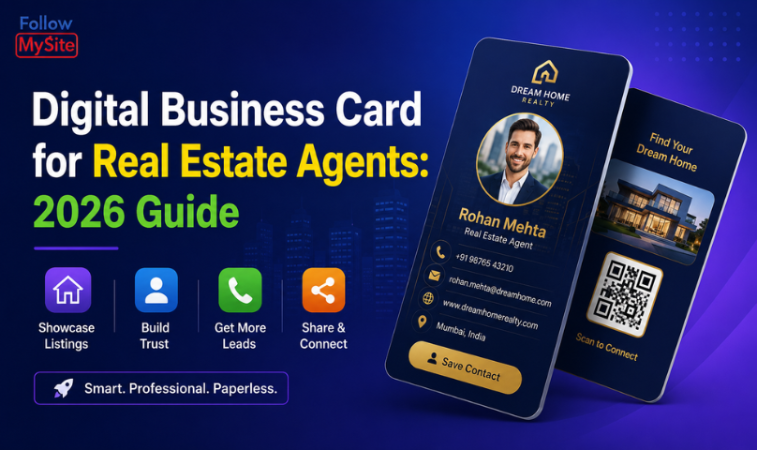
For a real estate agent, your network is your livelihood — and a paper visiting card is the slowest way to grow it. A digital business card for real estate agents lets you share your listings, contact details and reviews in one tap, so every open house, site visit and chance meeting turns into a saved contact and a follow-up. Here's why realtors are switching, and how to set yours up.
Why realtors need a digital business card
- You meet people everywhere — open houses, site visits, expos. A tap or QR scan saves your details instantly, even when you've run out of paper cards.
- Listings change weekly. A digital card lets you update featured properties anytime — no reprinting.
- Trust sells homes. Show client reviews, your license/RERA details, and the areas you serve right on your card.
- Faster follow-up. One-tap call and WhatsApp buttons mean leads reach you (and you reach them) in seconds.
What to put on a real-estate digital card
- Your photo, agency, and a one-line specialty ("3BHK flats & villas in [your area]")
- One-tap Call and WhatsApp buttons
- Featured listings or a link to your property catalogue
- The localities and projects you cover
- Client reviews and testimonials
- Links to your website, Google Business Profile and social channels
- A "Save contact" button so you land directly in their phonebook
How to create one in minutes
- Sign up at Follow My Site and pick a template.
- Add your details, photo, listings and review highlights.
- Get your shareable link, a printable QR code, and an NFC-ready profile.
- Add the QR to your yard signs, brochures and email signature; tap to share in person.
Turn every showing into a lead
Because a digital card has built-in visit analytics, you can see who viewed your profile and which listings got attention — then follow up while you're still top of mind. Create your real-estate digital business card →
FAQ
Do clients need an app to view my card?
No. It opens in any browser via a QR scan, NFC tap or link — nothing to install.
Can I update my listings later?
Yes — edit anytime and every shared card or QR shows the latest version instantly.
Does it work for a whole agency?
Yes. Each agent gets their own card while you keep branding consistent across the team.